

Sponsored Content by ThePhotoStick OMNI. This article includes affiliate links, which may earn us a commission, to support truthful and independent journalism (at no extra cost to you).
That little notification on your phone — “Storage Almost Full” — feels like a minor inconvenience. Most people tap “dismiss” and move on.
But what happens next is something the big tech companies aren’t exactly advertising. When your storage fills up, your phone stops saving new photos automatically. It starts compressing the ones you already have. And in many cases, it starts suggesting — or in some settings, automatically executing — deletions of the photos and videos it deems “redundant.”
The memories you thought were safe may already be quietly disappearing.
The Hidden Cost of a Full Camera Roll
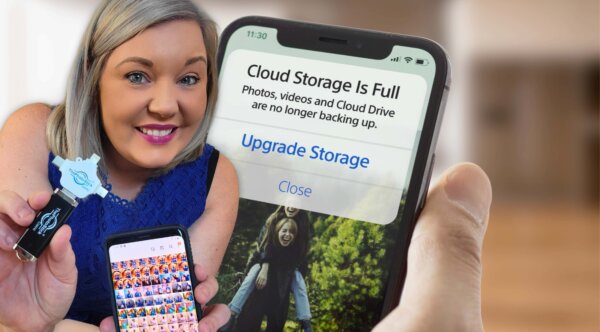
Americans are taking more photos than at any point in human history. According to research from Photutorial, humanity is on track to capture roughly 2.1 trillion photos in 2025, with the average American alone taking approximately 20 photos every single day.
That adds up fast! The typical smartphone user now has around 2,000 photos stored on their device, with iPhone users averaging closer to 2,400. Every vacation, birthday, graduation, and ordinary Tuesday morning piles onto a camera roll that most phones simply weren’t designed to hold indefinitely.
And yet, when the storage warning hits, most people don’t reach for a backup solution. They tap “dismiss” — and keep shooting. According to a survey reported by TechRadar, more than half of Americans have had to delete photos at some point simply because they ran out of space. Family photos. Videos of kids taking their first steps. Moments that cannot be recreated.
Here’s what makes this worse: the people who think they’re protected often aren’t.
Why the Cloud Isn’t the Safety Net You Think It Is
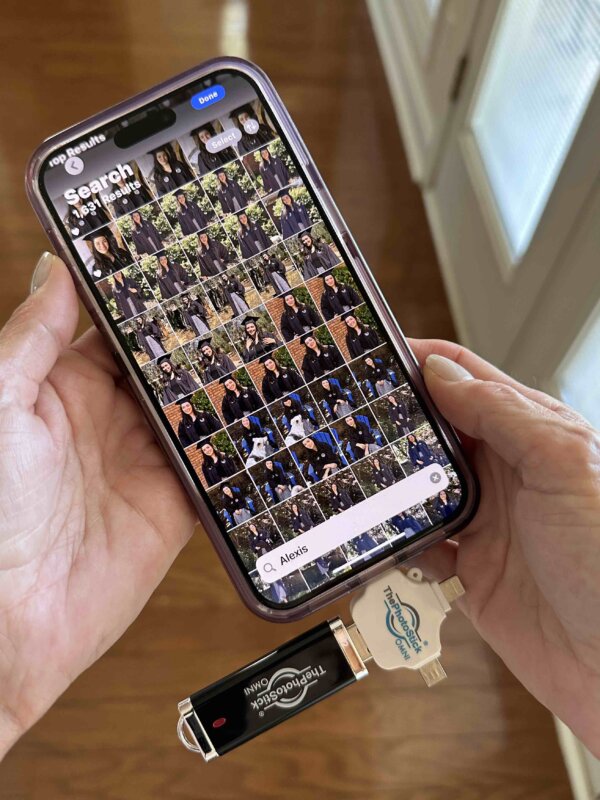
The common response to the storage problem is to “just use the cloud.” Google Photos, iCloud, Amazon Photos — they’re built into our devices and easy to set up. But relying on them exclusively introduces a different set of risks that rarely get discussed.
First, cloud services aren’t free — at least not for the storage most families actually need. Once you exceed your plan’s limit, new photos stop syncing. No warning. No error message. They just don’t upload. Many people discover this months or years later, when it’s far too late.
Second, and more sobering: only about one-third of Americans actually use cloud backups at all, according to the same TechRadar survey. The rest are operating without any safety net.
Third, there’s the issue of access. Cloud accounts get locked, hacked, or closed. Services shut down or change their terms. What lives entirely online is only as permanent as the company behind it — and that company can change its policies at any time.
Meanwhile, physical drives carry their own risks. According to data published by Backblaze, which monitors more than 300,000 drives in real-world conditions, hard drives fail at an annualized rate of around 1.57 percent — and certain older drive models fail at rates of 4 to 7 percent per year. That may sound small in percentage terms. But applied to the hundreds of millions of drives in homes across the country, the math is sobering.
The question most people never stop to ask is: if something went wrong with your phone and your cloud account tomorrow, how many of your photos would survive?
The Real Problem Isn’t Laziness — It’s Complexity
Backup advice tends to follow the same formula: external hard drive, cloud subscription, maybe a second cloud service for redundancy. Set up automatic sync across all devices. Verify the backup regularly. Keep one copy off-site.
For most people, this is not realistic. It requires tech fluency, ongoing maintenance, recurring fees, and the discipline to keep everything in sync across phones, tablets, computers, and whatever new device enters the household next year. Organizing a digital photo library of the size the average family now holds is estimated to take roughly 45 hours of work per year, according to photography research compiled by Balancing Everything.⁵
It’s not that people don’t care about their photos. It’s that the tools available to protect them have always asked too much.
That’s the gap a device called ThePhotoStick OMNI was designed to close.
What ThePhotoStick OMNI Actually Does
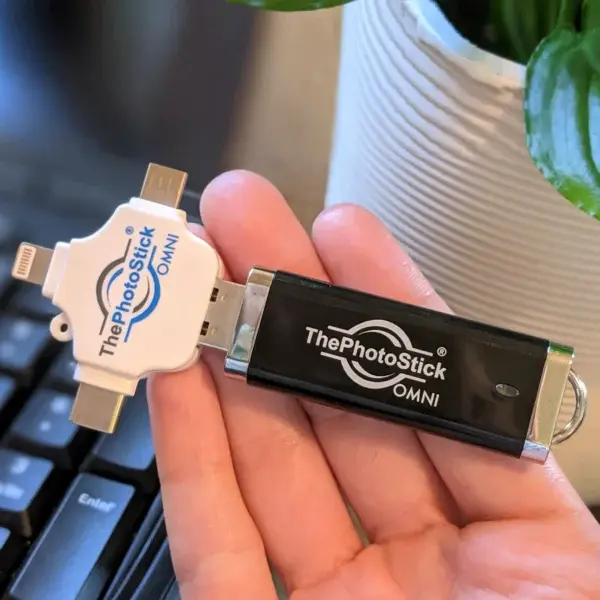
ThePhotoStick OMNI is a compact physical backup device — roughly the size of a thumb drive — that works across virtually every device a household might own. One click launches its software, which automatically scans the connected device, finds every photo and video file, eliminates duplicates, and saves everything to the stick. No folders to navigate. No settings to configure. No subscription required.
It’s designed to work with:
- All Windows and Mac computers
- iPhones and Android smartphones
- iPads, Galaxy tablets, and other iOS and Android tablets
That cross-device compatibility is what sets it apart from most backup solutions, which tend to be either phone-focused or computer-focused — rarely bot
h. With ThePhotoStick OMNI, one device handles the entire household’s library. Plug it in, press the button, and the backup runs itself.
Depending on the storage capacity selected, ThePhotoStick OMNI can hold up to 60,000 photos and videos. Because it stores files locally on the physical device — not in the cloud — the backed-up photos remain accessible even without an internet connection, and they’re not subject to subscription fees or service changes.
ThePhotoStick is also an American company, based in Haxtun, Colorado.
How Does ThePhotoStick OMNI Work?
Most backup systems are WAY too complicated for the average user… which results in a lot of tragic mistakes.
Not only do backups take a LONG time, one little mistake can cause all those precious memories to be erased. And digging through your folders to find all those files is always a nightmare… you’ll never know if you missed an important photo or video until it’s too late.
But that’s what makes ThePhotoStick OMNI different. It does everything for you in just 3 simple steps:
Step 1: Plug It In (Takes 5 Seconds)
The PhotoStick OMNI comes with adapters that work with ANY device:
- All Windows computers (any version)
- All Mac (Apple) computers
- All Smartphones (iPhone, Android, iOS, etc.)
- All tablets (Galaxy, iPad, etc.)
- Even old cameras with SD cards
Important: You don’t need to download anything or install software. The PhotoStick OMNI runs automatically when you plug it in.
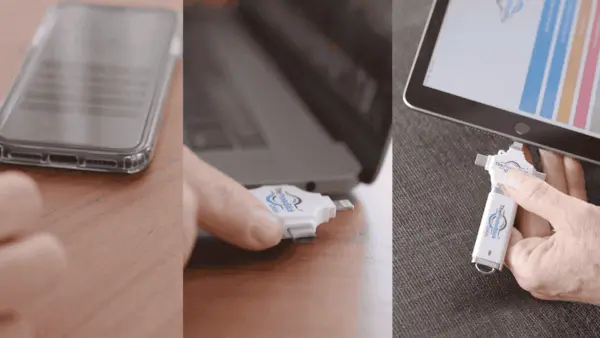
NOTE: It comes with a universal attachment that will fit onto any computer, phone, or tablet — even if it doesn’t have a USB slot!
Step 2: Open the Program (Takes 10 Seconds)
When you plug in the PhotoStick OMNI, a window will pop up automatically. If it doesn’t appear, just click on the PhotoStick OMNI icon that shows up on your screen.

You’ll see a simple screen with one big button that says “GO.” That’s it. No confusing menus or technical jargon.
Step 3: Click “Backup Files Now” and Walk Away (Takes Zero Effort)
By clicking the “Backup Files Now” button the PhotoStick OMNI goes to work. It automatically:
- Scans your entire device for photos and videos
- Finds files you didn’t even know you had
- Removes duplicate copies to save space
- Organizes everything by date and type
- Shows you exactly what it found

Here’s the genius part: You don’t have to sit there watching it work. Go make coffee, walk the dog, or call your grandkids. The PhotoStick OMNI handles everything while you do something else.
What Makes This Different From Everything Else?
It Finds Files You’d Never Find On Your Own
The PhotoStick OMNI doesn’t just look in your “Photos” folder. It searches EVERYWHERE on your device for memories that could be lost forever:
- Hidden system folders where photos get automatically saved
- Temporary files that apps create and forget about
- Downloaded images you saved months ago
- Screenshots that capture important moments
- Videos buried in messaging apps
This means it can rescue photos you thought were already gone — images that would vanish forever the next time your device crashes.
Works With Every File Type!
Not just photos and videos. The PhotoStick OMNI also backs up:
- Documents (Word, PDF, Excel)
- Music files
- Voice recordings
- Text messages with photos
- Email attachments
No Monthly Fees, Ever
Unlike cloud storage that charges you forever, you buy the PhotoStick OMNI once and own it. No subscriptions. No surprise charges. No worrying about companies going out of business and taking your files with them.
Why Over 1.5 Million People Trust PhotoStick OMNI
PhotoStick OMNI has become the go-to solution for families who want simple, reliable backup without the technical headaches. The device has earned a reputation for being so user-friendly that people of all ages and tech skill levels can use it successfully.
What makes it particularly appealing is how it solves the most common backup problems people face: finding hidden files, avoiding duplicates, and organizing everything automatically.
The Step-by-Step Process: What You’ll Actually See
When you first use your PhotoStick OMNI, here’s exactly what happens:
Minute 1: Plug it into your device. A welcome screen appears asking if you want to scan for files.
Minute 2: Click “Backup Files Now” and watch as it immediately starts finding photos and videos. You’ll see a counter showing how many files it’s discovering.
Minutes 3-15: Depending on how many files you have, the PhotoStick OMNI works in the background. You can see its progress but you don’t need to do anything.
When it’s done: The PhotoStick OMNI shows you exactly what it found and where it saved everything. Your files are now organized in easy-to-navigate folders.
Sharing Made Simple Too

Once your memories are safely backed up, sharing them is just as easy:
- Plug the PhotoStick OMNI into any computer
- Find the photo or video you want to share
- Click “Share” and choose how to send it (email, text, social media)
No more “the file is too big to send” frustrations. No more struggling to find that one photo from three years ago.
Why Experts Recommend Physical Backup Over Cloud Storage
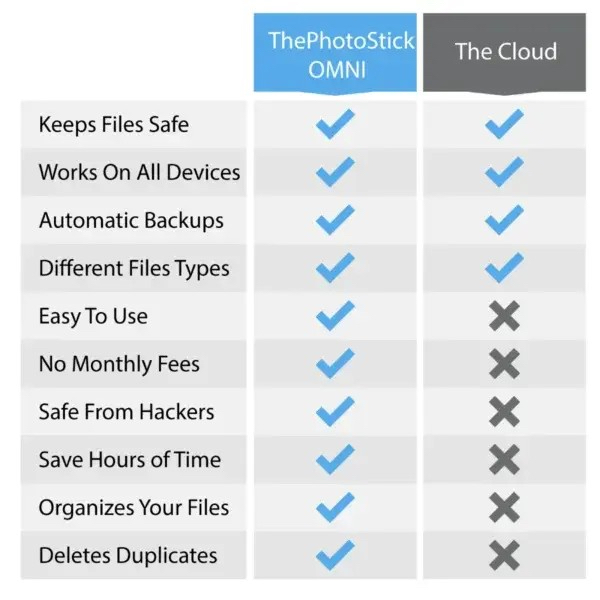
While cloud storage seems convenient, it leaves your memories vulnerable in ways you might not realize:
- Internet dependency — when WiFi goes down, your memories are unreachable
- Company control — if the service shuts down or deletes your account, your files disappear
- Security breaches — hackers can access and delete your personal photos
- Accidental deletion — one wrong click and years of memories can vanish
The PhotoStick OMNI keeps YOUR files under YOUR control. Your memories stay with you, safe and accessible, no matter what happens to internet companies or online services.
Who This Is Particularly Useful For
ThePhotoStick OMNI is designed for anyone who has accumulated a meaningful digital photo library and hasn’t taken deliberate steps to protect it. That describes the majority of American households.
It’s especially relevant for:
- Parents and grandparents who have years of family photos on aging devices, including phones they no longer use daily but haven’t cleared out
- Anyone who has ever switched phones and isn’t certain whether every photo from the old device was successfully transferred
- People who have received the “Storage Almost Full” warning and dismissed it without taking action
- Anyone who has photos on a computer that hasn’t been backed up — a common situation given that hard drive failure rates climb significantly as drives age past five to seven years
- Households with multiple devices where consolidating everything into one place would require hours of manual effort
The one-click design makes it accessible to people who aren’t comfortable navigating file systems or cloud settings. If you can plug in a USB device and press a button, you can use ThePhotoStick OMNI.
How to Get ThePhotoStick OMNI
UPDATE: Exclusive Discount For Epoch Times Readers!
Great news! The creators of ThePhotoStick OMNI have reached out to us, and they’re excited to offer our readers a special discount!
For a limited time, you can get up to 60% OFF your order of ThePhotoStick OMNI depending on how many you order. (Remember, they make great gifts!)
Note that this is only available when you order directly from the brand. You won’t find this discount anywhere else! Simply click on the link below to see if it’s still available:
Get Up To 60% OFF ThePhotoStick OMNI Now!
ThePhotoStick OMNI is designed and manufactured in the USA. All orders include free shipping and lifetime customer support.
 Friends Read Free
Copy
Facebook
Tweet
Friends Read Free
Copy
Facebook
Tweet